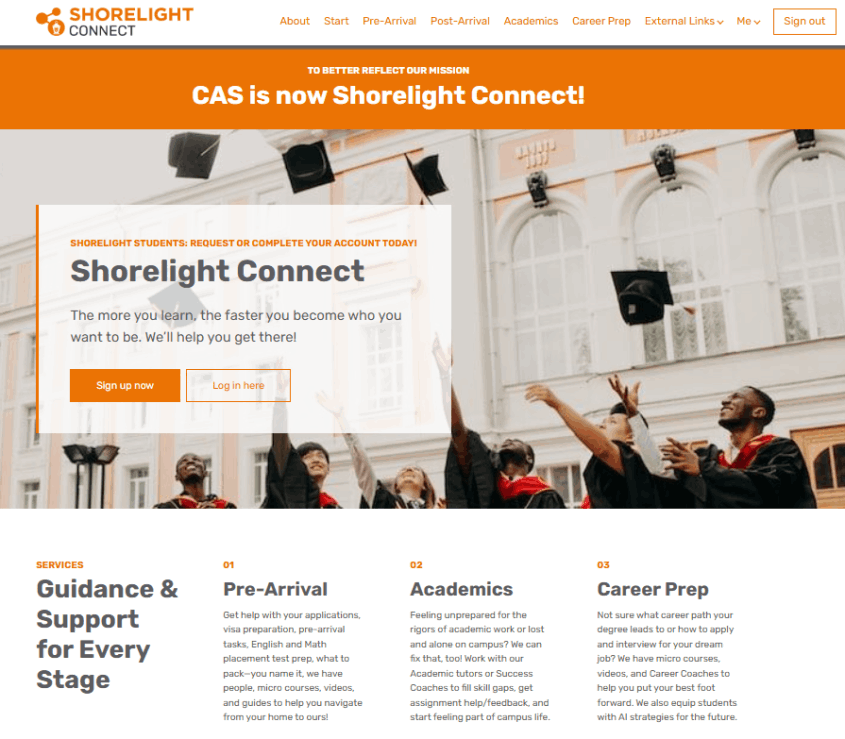
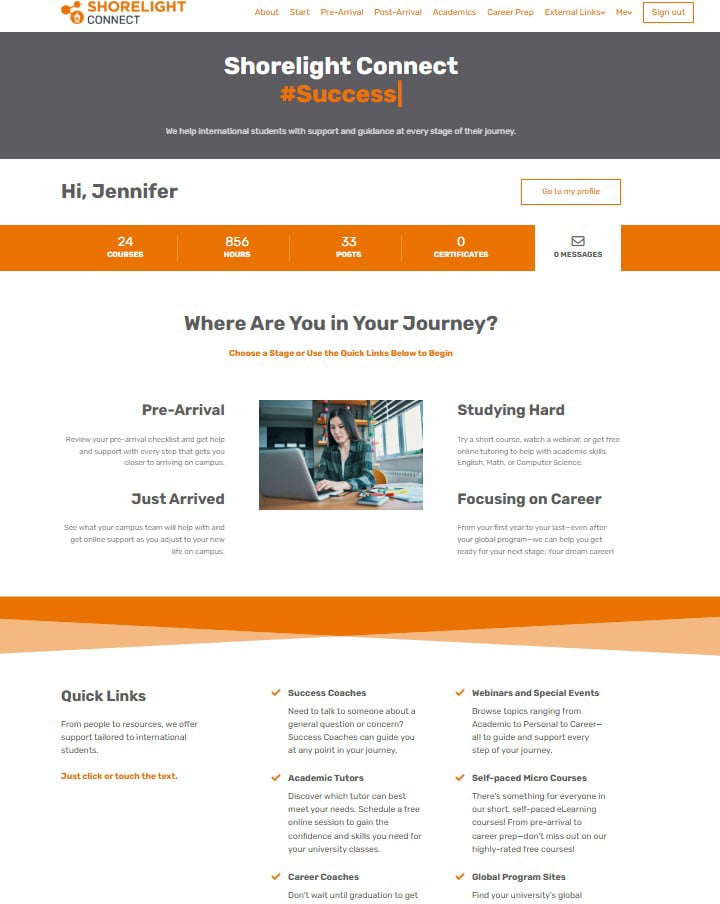
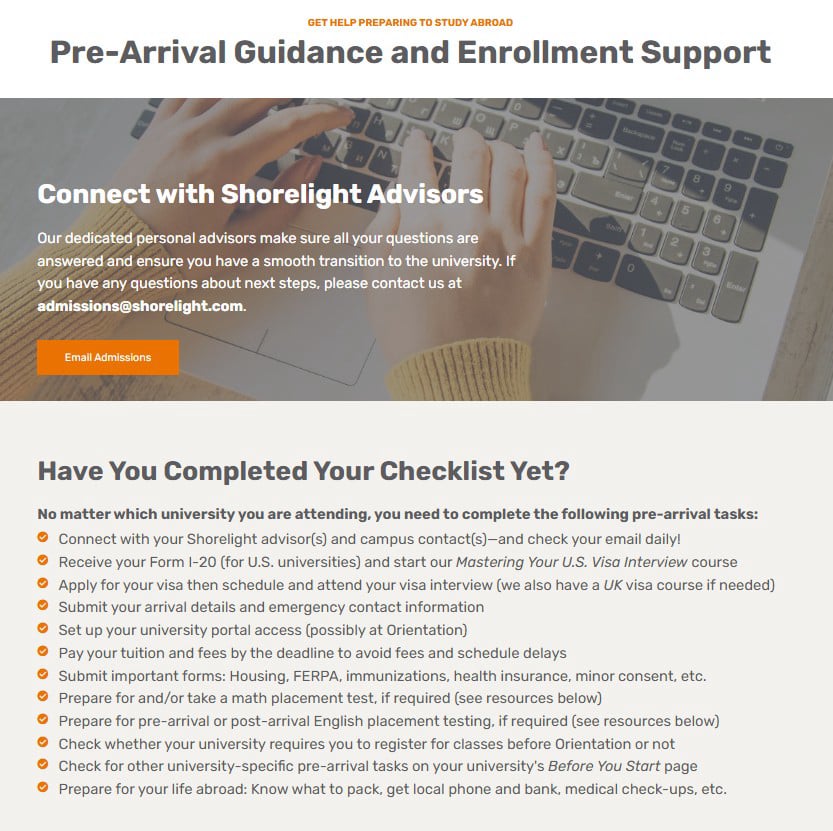
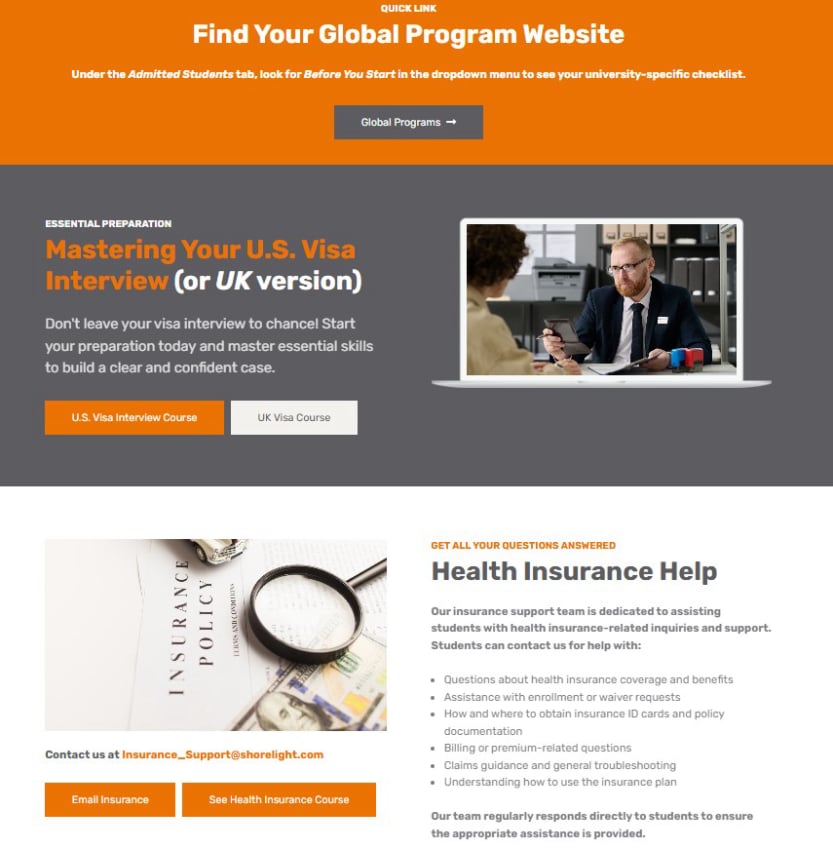
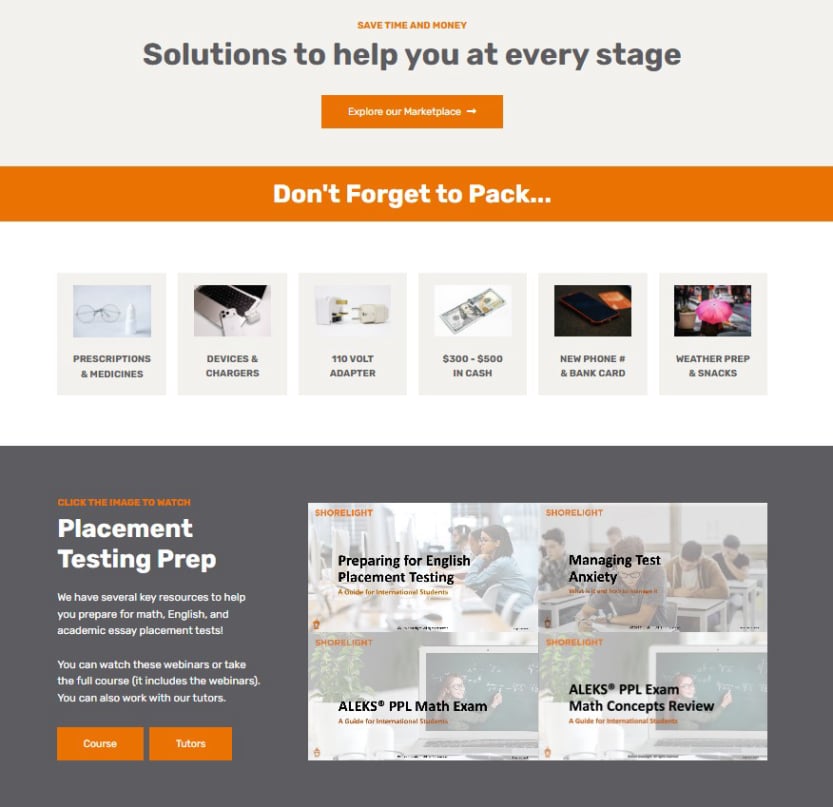
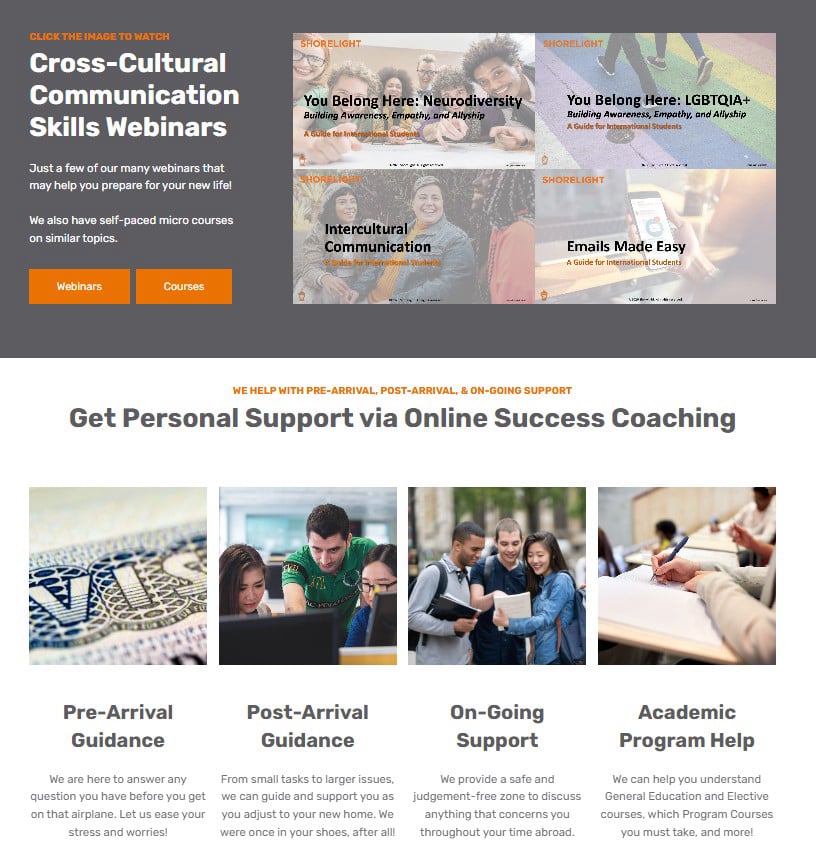
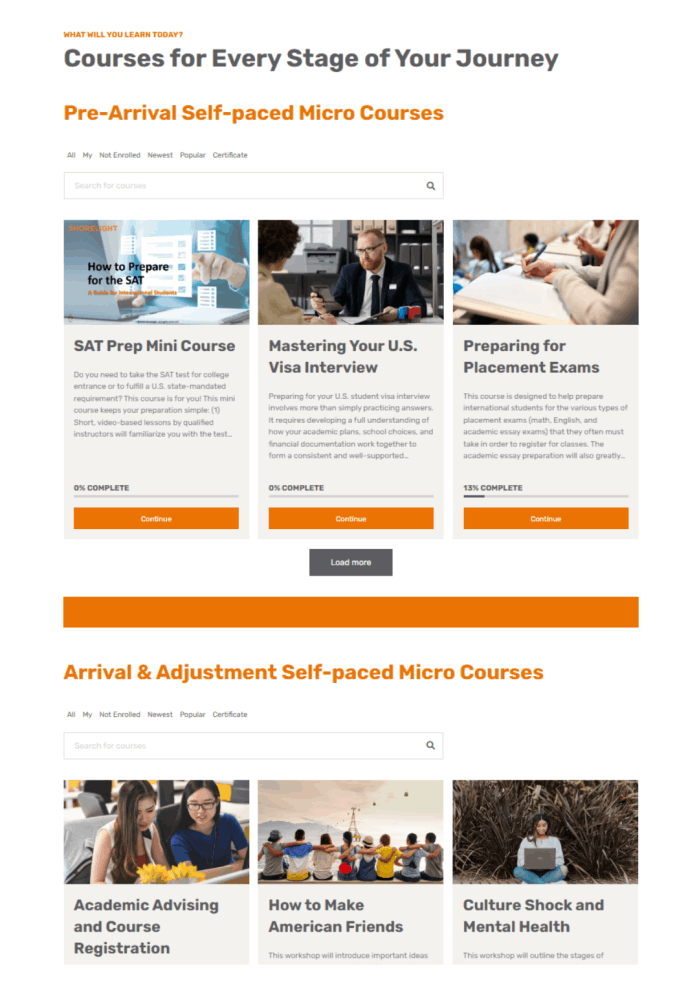
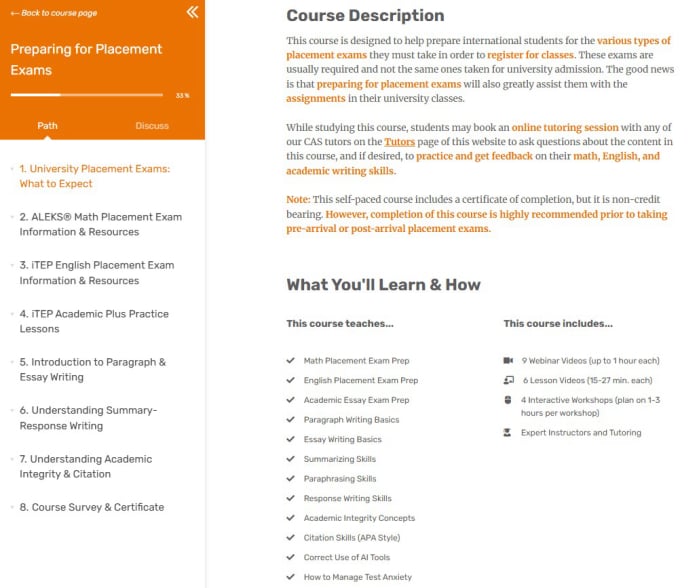
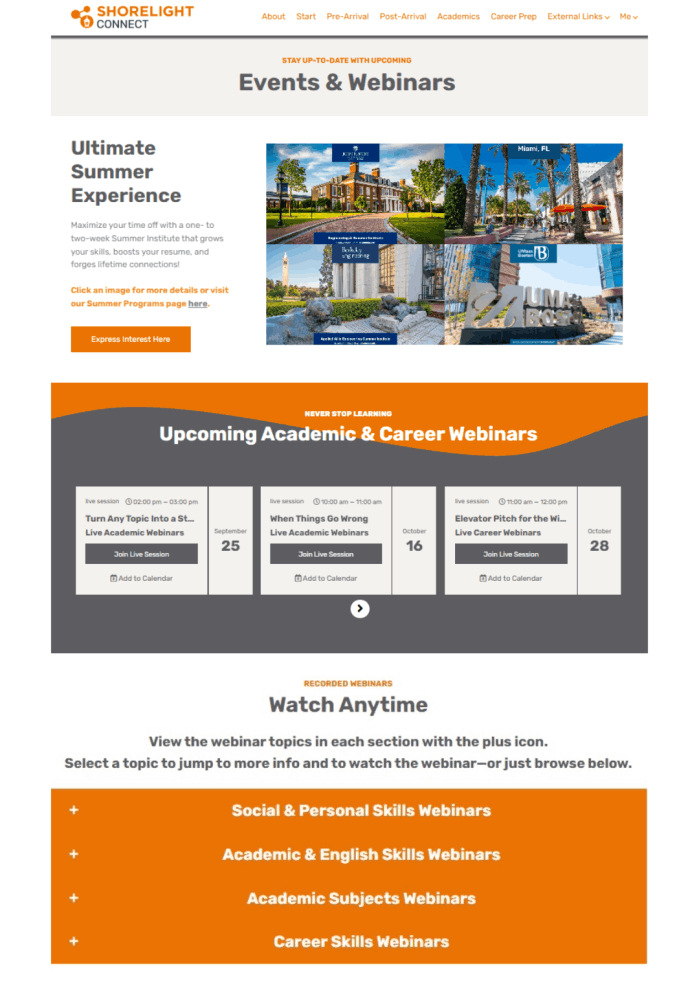
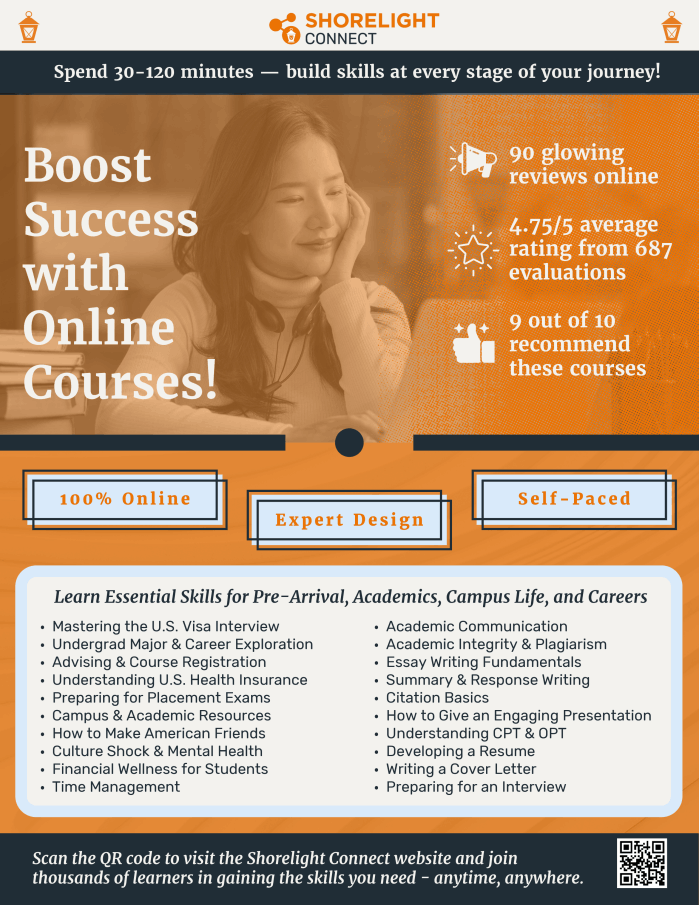
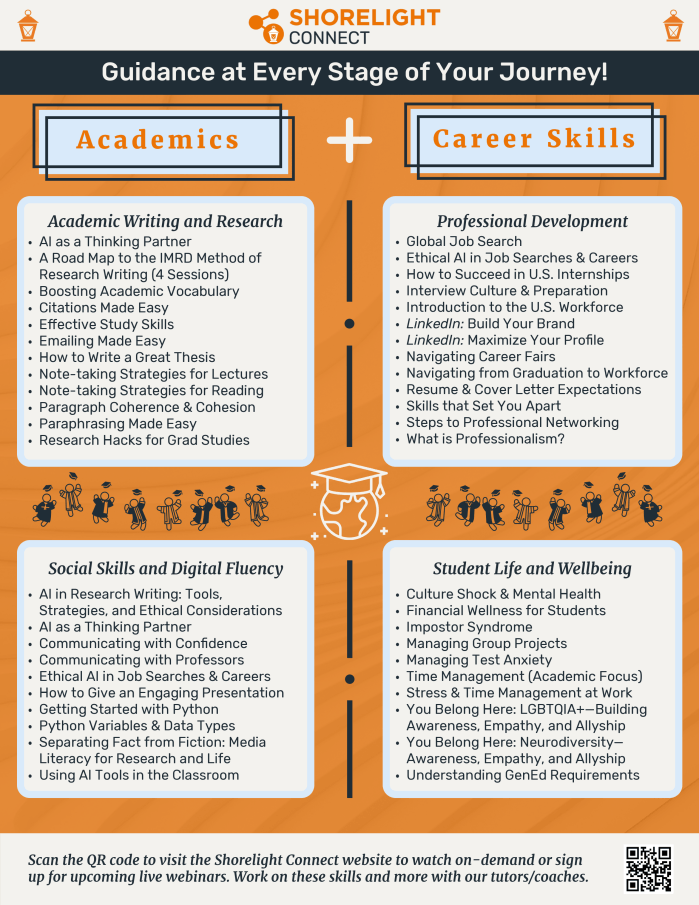
Watch the showcase video we submitted to The PIEoneer Awards 2025 for a quick overview of the original version of the Shorelight Connect website, known as Shorelight's Center for Academic Success (CAS). We won the Highly Commended award in the Student Support category.
We needed a way to deliver acculturation support and skill development content to thousands of international students across our university partnerships. I was entrusted with leading the concept design and strategy, as well as training all staff and managing all projects. Since its Jan. 2024 launch, I've maintained the website, managed the tutors, hosted every webinar, analyzed and reported data, and managed the enrollment of over 12K users. In May 2026, I rebranded and reorganized the entire website to better reflect the student journey we now support.
Though not a web designer, I quickly became an expert on the LearnWorlds LMS, thanks in part to my familiarity with Thinkific, Canvas, and Blackboard. I also designed eLearning courses both with Rise 360 software and native LearnWorlds course features, in addition to developing VILT/VBT lessons in PowerPoint for webinars/lessons, creating promotional material with Adobe Express, running Zoom webinars, editing webinar videos with Camtasia, maintaining videos on Kaltura, and reviewing all content production by IDs, SMEs, and other team members.
From content production to course delivery, and user enrollment to website maintenance, Smartsheet, Dropbox, Dropbox Paper, MS Teams, Outlook, Excel, Salesforce, and integrated LearnWorlds reporting tools have helped the team and I keep the website and its various resources engaging, useful, and running smoothly. This includes coordination of live courses, ongoing webinars, student account approvals, training new employees and campus staff, reporting engagement to campus teams, and promoting the site to new cohorts of students during orientation.
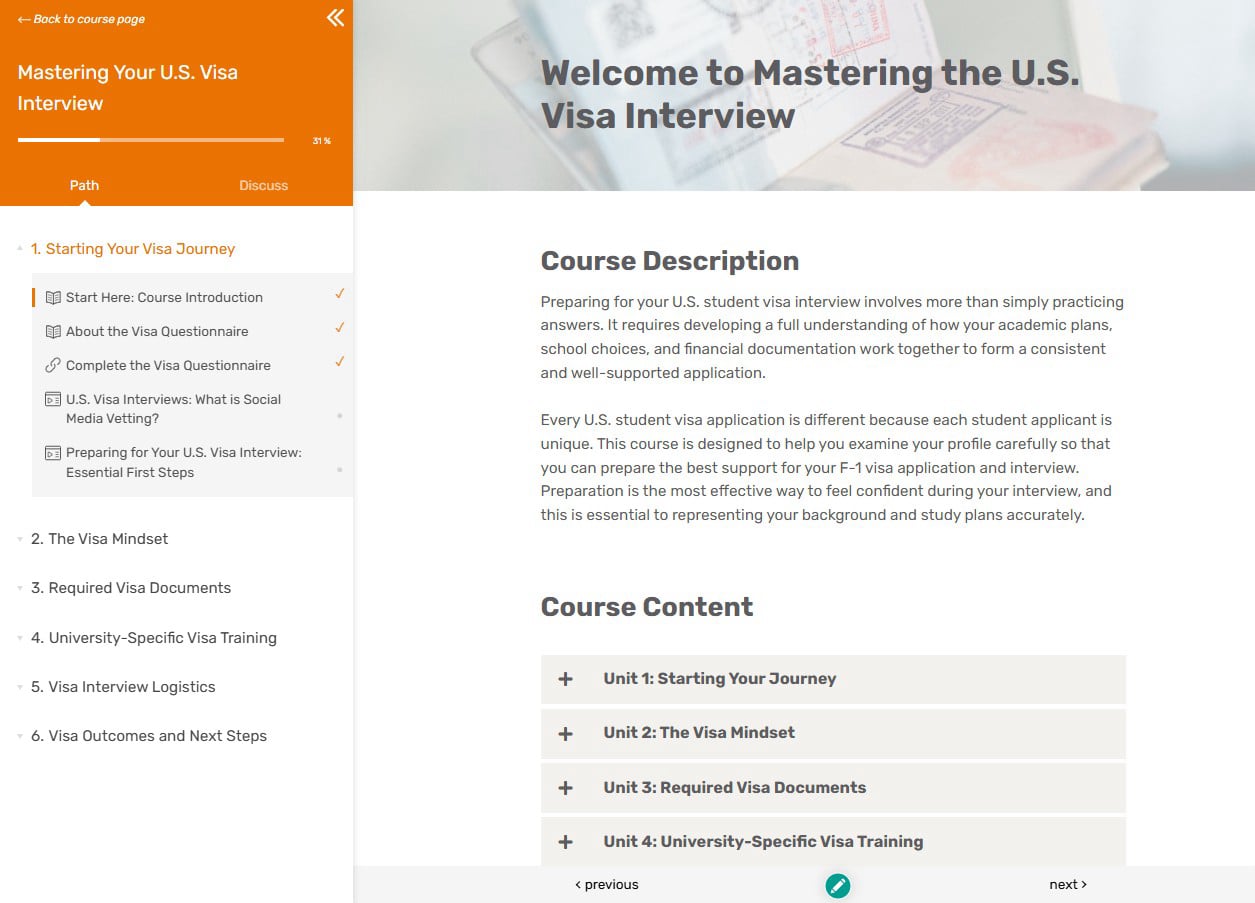
At the end of January 2026, Shorelight’s VP of Admissions and the Visa Support Manager met with me to request a revamp of our existing U.S. Visa course, which was created by another team. It was immediately clear from our discussion that the current course was too general and didn’t target key skill gaps. Visa season starts April 1, so our timeline for development was very tight (two months). Impact to date: Sixty-three students enrolled in the course during the summer of 2026. One student left a 5-star review calling the course, "full strategic, supportive, full of content." See VP's testimonial below.

Key Problem: Students needed to understand their unique Shorelight program and practice explaining very specifically their choice of university, study program, and post-graduation plans. Too many relied on parents/agents to know the details required in the interview, leading to visa denials. Every student that doesn’t get a visa impacts Shorelight’s bottom line.
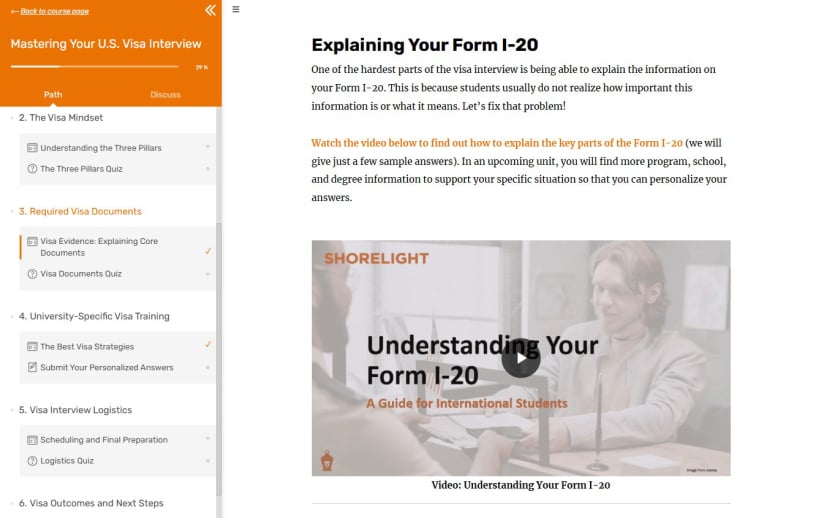
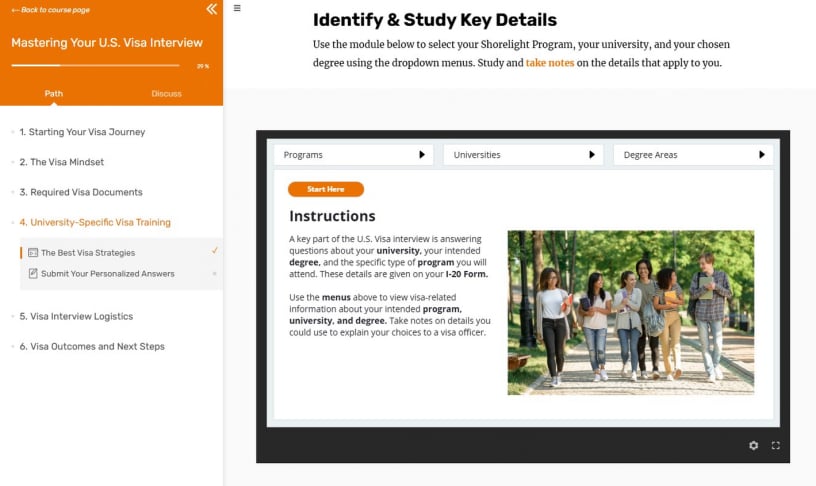
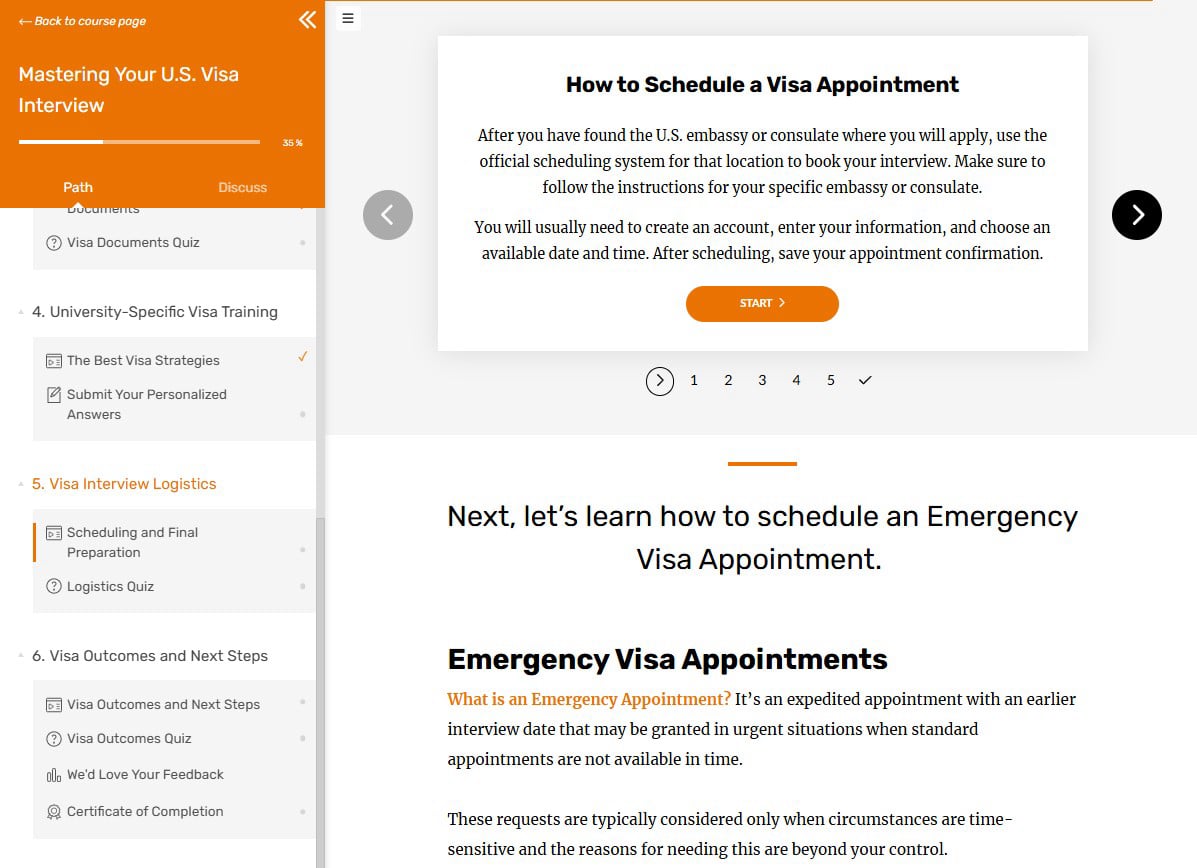
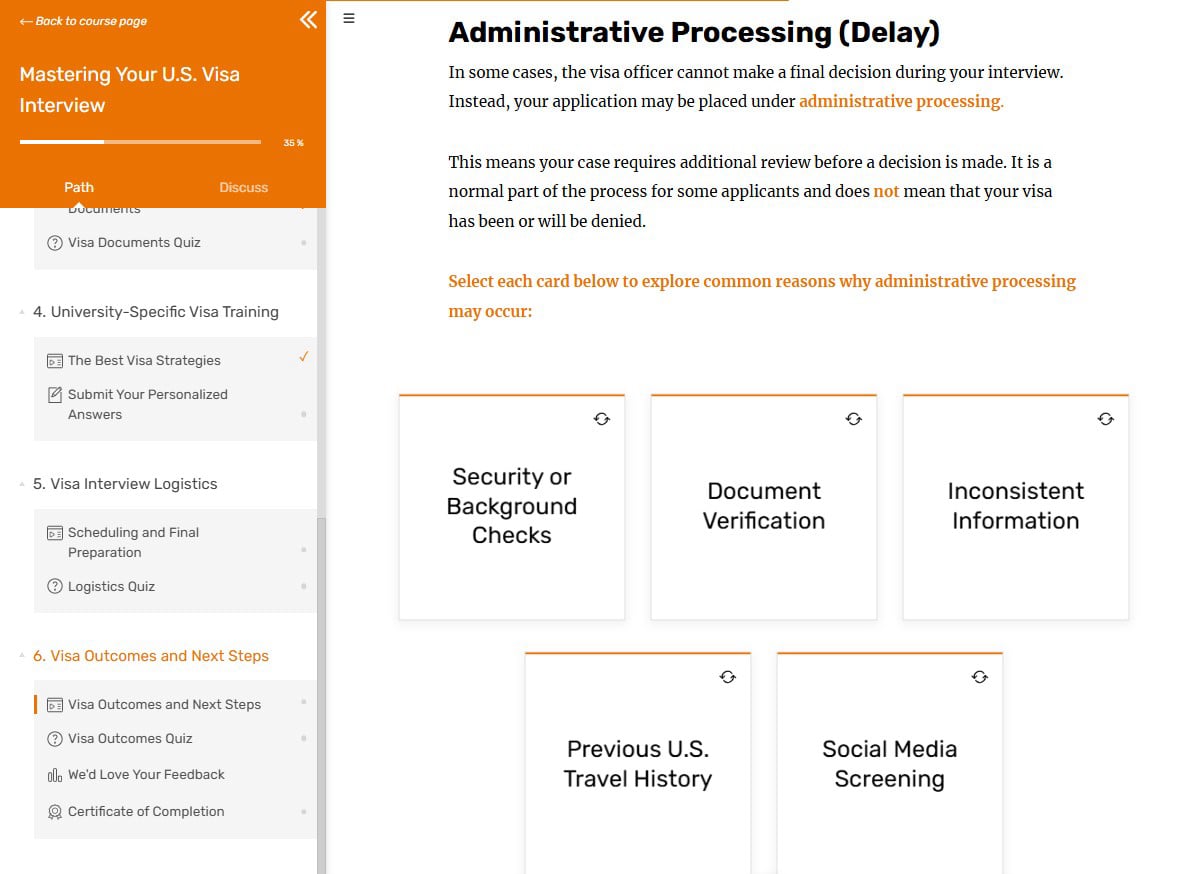
Key Solution: The new course has six short modules covering the visa process from start to finish, including VBT on how to understand Form I-20 and a tabbed "database" of Shorelight-specific program/university and degree outcomes information, coupled with scenario and personalized practice graded by our SME instructor. We even updated lessons with new rules put in place while we worked!
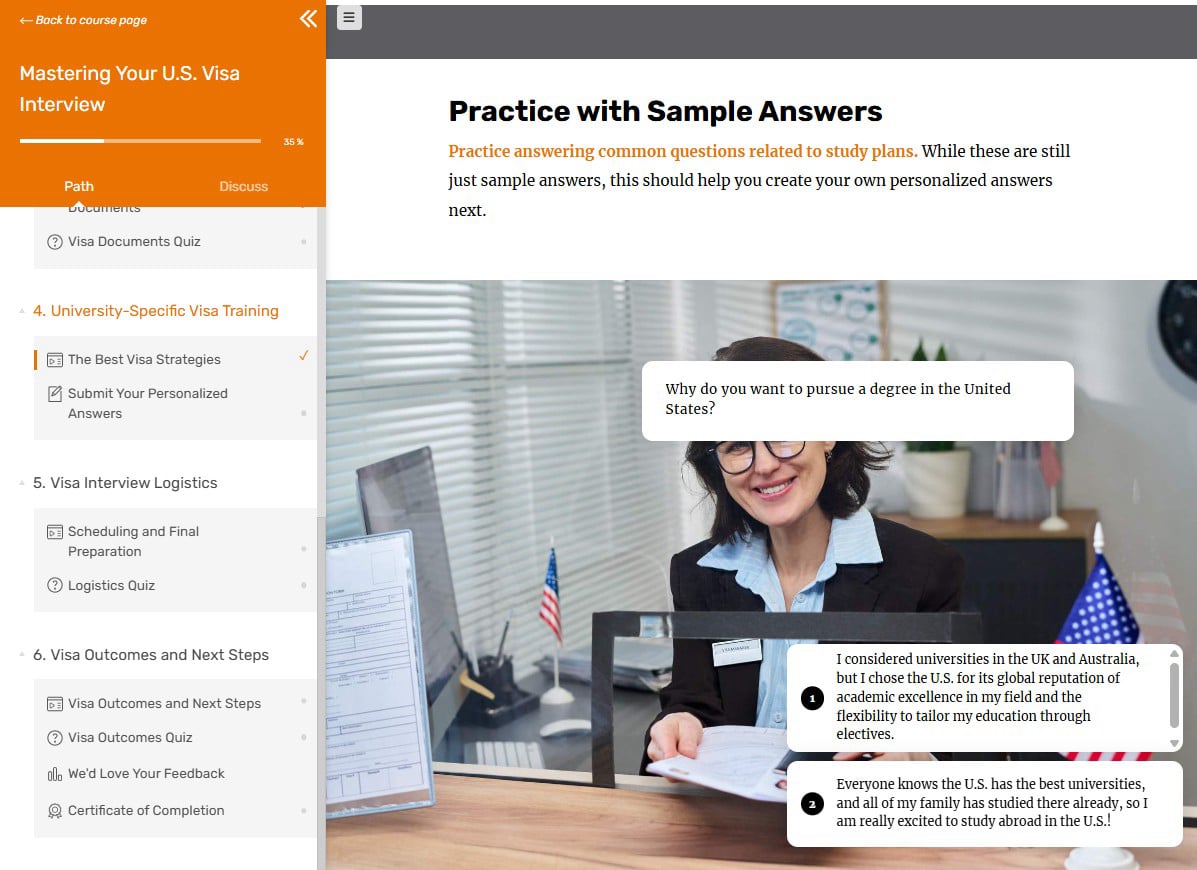
Key Process: Working with our SME, I assigned every member of my team, including myself, to take on part of the Rise 360 lessons, LearnWorlds quizzes (for ease in reporting), VBT curriculum, video editing, and QA reviews. I created Module 4's Rise 360 lesson with a Storyline 360 tabbed database, two branching scenarios, and a personalized practice activity to submit for SME feedback.
This Storyline sim is intended for use within the Module 4 Rise 360 course in the LearnWorlds visa course above, which contains the lessons on how to approach a visa interview. Therefore, this particular AI Sim doesn’t require in-depth content or storytelling prior to the practice since it is not intended to be a standalone module. Otherwise, it would certainly require additional lead-in content for students to be successful. However, I did include a quick-reference help option.
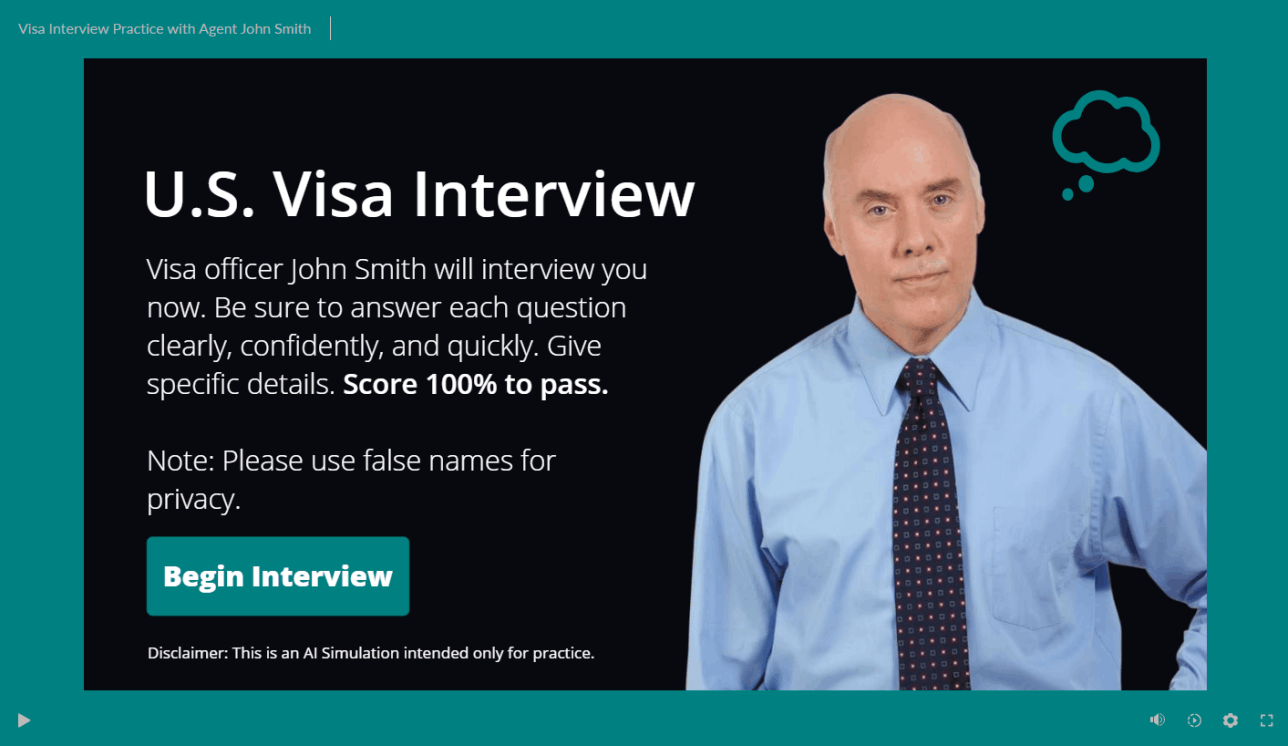
Key Problem: Despite the initial success of our current visa course, the personalized practice graded by our SME is not realistically scalable to large numbers of students. We welcomed 1180 students for Fall 2026—but only 63 of those chose to take the course. How could our one SME provide individual feedback on personalized answers to standard visa questions for even half of the FA26 cohort in a timely manner? A standard branching scenario is helpful, but it doesn’t come close to replicating a real visa interview.
Key Solution: This is one place where AI tools really shine. By creating a live, simulated AI conversation, whether text-based or voice-based, students could more realistically practice a visa interview and get personalized feedback automatically, without burdening our SME. It could replace the written assignment we currently ask for, but students could still meet with our SME or our Visa Support team members for additional help or practice if desired. We didn't have time to fully test this option for the initial visa course launch, but it'll be ready for version 2!
Key Process: Building the AI Simulation was straightforward but required attention to detail and careful consideration as to how students would be evaluated (criteria, points, deductions, etc.). The Storyline build was drafted using a Devlin template. After creating the sim, I added the necessary triggers and variables in Storyline, then inserted the code and links from the sim creator tool. I then changed the branding and character and later added a help feature and instructions for keeping personal data private.
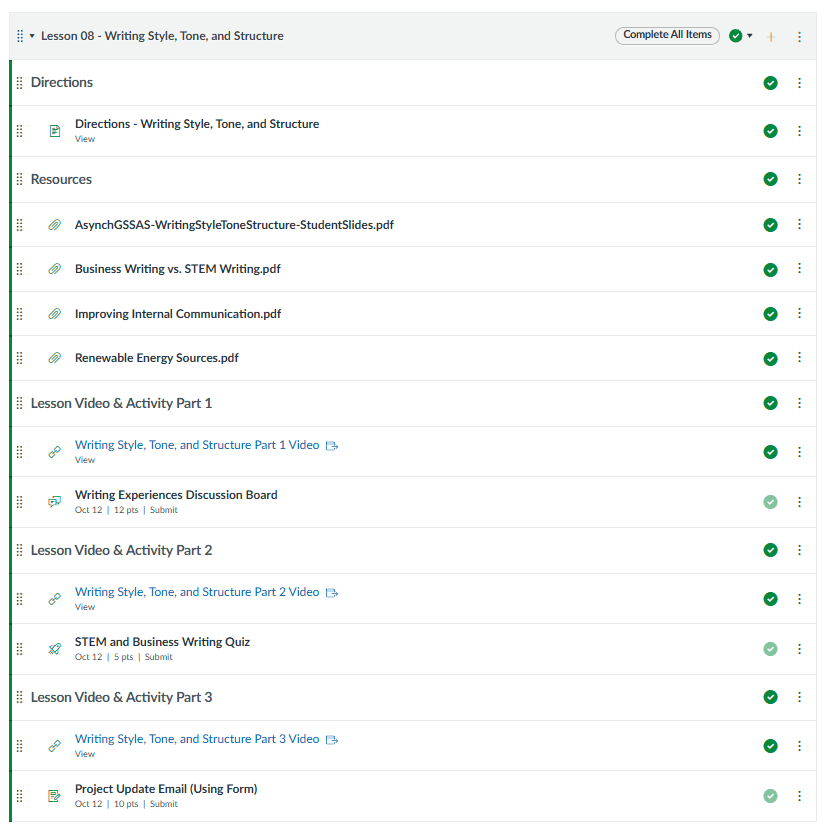
Overview: I decided to convert our existing Synchronous Graduate Student Success and Academic Skills [GSSAS] course that had run for four semesters (via Canvas LMS) to Asynchronous format for the Fall 2025 semester because of the myriad of schedule conflicts and student complaints about the course being at 8:00 am (the only time ever available).

I am happy to announce to everyone that just in time for peak visa season we have a newly developed, fully robust, visa preparation course live on Shorelight Connect! ...This 6-unit course goes above and beyond the standard visa prep courses being socialized in the market, because
it is the only one more deeply tailored to a student's needs. ...A hearty thank you goes to the Shorelight Connect course development/production team...for turning the content into a
useful learning tool. You all contributed in meaningful ways to making this a real course. But the biggest kudos go to Jennifer Paz and [the Visa Support Manager] for seeing our vision of an asynchronous preparation tool through to completion. [They] spent hours, days, weeks working collaboratively on this project. They are a testament to our value of "True Partners" in every sense. This course would not be what it is today without their very close teamwork. Hats off to both of you for your work on this. As a ring-side observer to the work in meetings and via Teams, I know how much blood, sweat, and tears and heart and soul went into this.
![Anonymous Student Feedback [Stock Image]](assets/images/adobestock-257895239-400x267.jpeg)
What I liked most about this [Tulane Asynchronous Graduate Student Success & Academic Skills] course was the emphasis on structured communication, particularly learning frameworks like the STAR method and the specific formulas for the Elevator Pitch. As a software developer, I spend most of my time dealing with complex, highly technical systems. This course [delivered online to Tulane graduate students by Shorelight] provided me with a clear, logical blueprint for translating those dense technical achievements into concise, impactful stories that hiring managers can easily understand and appreciate.

I truly valued my time as part of Jennifer Paz’s team at Shorelight, where I worked directly for Jennifer as an Instructional Design Specialist. I had the opportunity to work closely with Jennifer specifically on several major Shorelight projects that spanned course development, multimedia production, digital content creation, and more. Jennifer’s experience and perspective during these projects were invaluable to my growth as an instructional designer.
I especially appreciated the balance Jennifer struck between encouraging autonomy and offering meaningful guidance. She communicated project needs and expectations clearly, giving me the space to work independently and exercise my own judgment, while always remaining aligned with the goals of each project. That autonomy was an important part of my growth as an instructional designer and indeed, Jennifer was always available to offer helpful guidance, feedback, and insight drawn from her extensive experience.
Jennifer’s open leadership style consistently led me to feel that Jennifer operates both with and within her team. She was personable, compassionate, and easy to communicate with. I felt comfortable bringing ideas and questions to her. She brought a wonderful sense of openness and collaboration to the team’s work. I learned a lot from Jennifer and am grateful to have been a part of her team.

Website Builder Software